# Updating Base Images in Dockerfiles
Create a batch change to update Dockerfiles in each repository.
In this example, Batch Changes will allow you to update the base images used in your Dockerfiles across many repositories in just a few commands. First you will create [a batch spec](/batch-changes/create-a-batch-change) that:
- Finds `Dockerfile` that make use of `google/dart:2.x` base images, and
- Changes those `Dockerfiles` to use `google/dart:2.10`
The batch spec and instructions here can [easily be adapted to update other base images](#updating-other-base-images).

## Prerequisites
It's recommended to use the latest version of Sourcegraph when working with
Batch Changes.
Before you start, it's better to read the following docs:
- [Batch Changes Quickstart](/batch-changes/quickstart)
- [How to create and run a Batch Spec?](/batch-changes/create-a-batch-change)
## Create the batch spec
Save the following batch spec YAML as `update-dart-base-images-2-10.batch.yaml`:
```yaml
name: update-dart-base-images-2-10
description: This batch change updates `google/dart:2.*` base images in Dockerfiles to `google/dart:2.10.2`.
on:
# Find all repositories that contain Dockerfiles with `FROM google/dart:2.*` as base images.
# The regexp used here matches images
#
# google/dart:2.MINOR.PATCH
# google/dart:2.MINOR.PATCH-dev.DEVMINOR.DEVPATCH
#
# google/dart-runtime:2.MINOR.PATCH
# google/dart-runtime:2.MINOR.PATCH-dev.DEVMINOR.DEVPATCH
#
# where the tag is < 2.10. Feel free to adjust it to your requirements.
- repositoriesMatchingQuery: ^FROM google\/dart(-runtime)?:2\.[0-9]\.?\d?(-dev\.\d\.\d)? file:Dockerfile patternType:regexp
# In each repository
steps:
# find all Dockerfiles and replace the old image tags with our desired ones:
- run: |
find . -name Dockerfile -type f |\
xargs sed\
-i\
--regexp-extended\
's/FROM google\/dart(-runtime)?:2\.[[:digit:]]\.?[[:digit:]]?(-dev\.?[[:digit:]]?\.?[[:digit:]]?)?/FROM google\/dart:2\.10/g'
container: alpine:3
# Describe the changeset (e.g., GitHub pull request) you want for each repository.
changesetTemplate:
title: Update google/dart base images in Dockerfiles to 2.10.2
body: This updates google/dart base images used in Dockerfiles to version 2.10.2
branch: batch-changes/google-dart-2-10-2-base-images # Push the commit to this branch.
commit:
message: Update google/dart base images in Dockerfiles to 2.10.2
published: false
```
## Create the batch change
- In your terminal, run the following command:
```shell
src batch preview -f update-dart-base-images-2-10.batch.yaml
```
- Wait for it to run and compute the changes for each repository
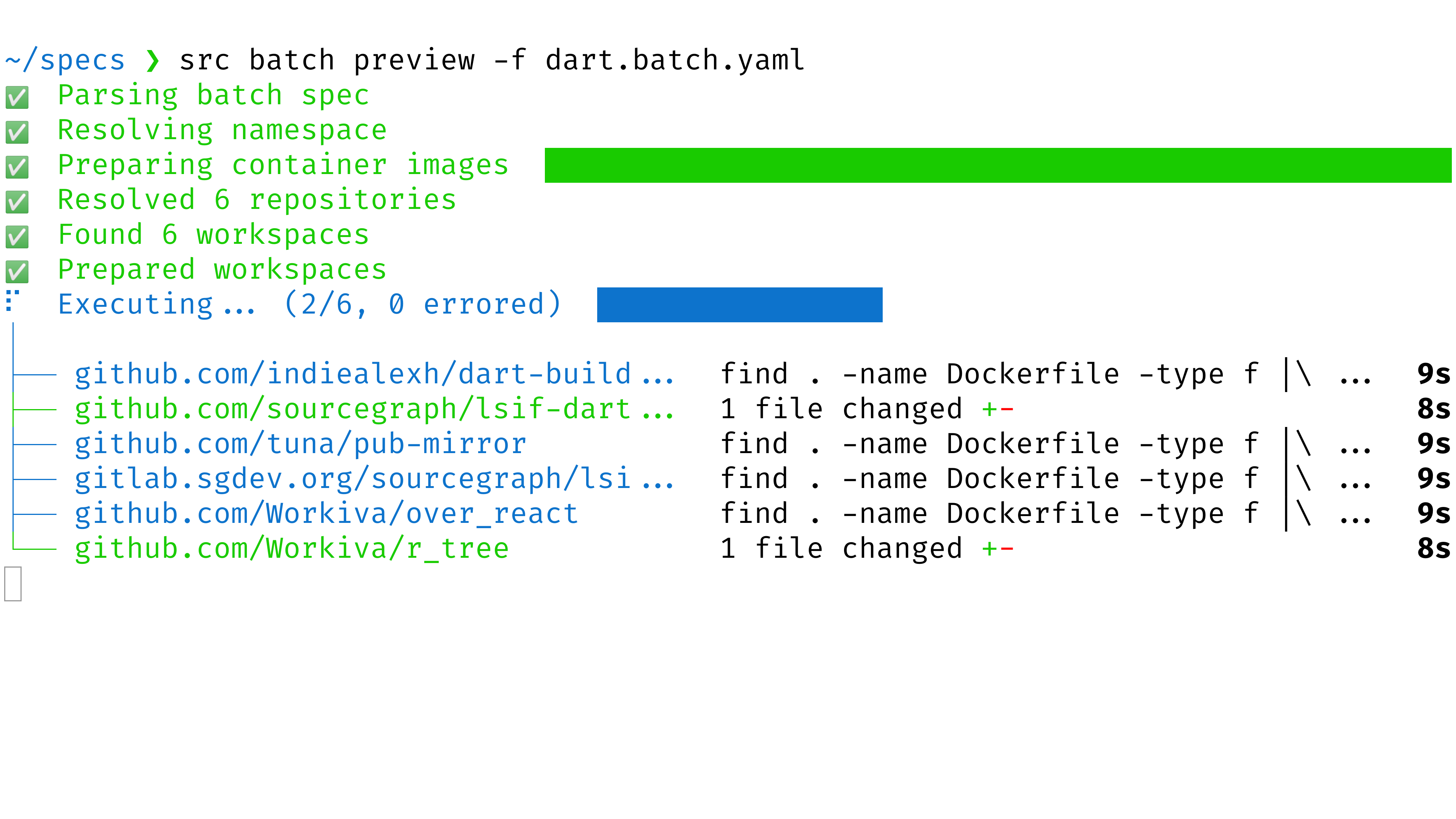
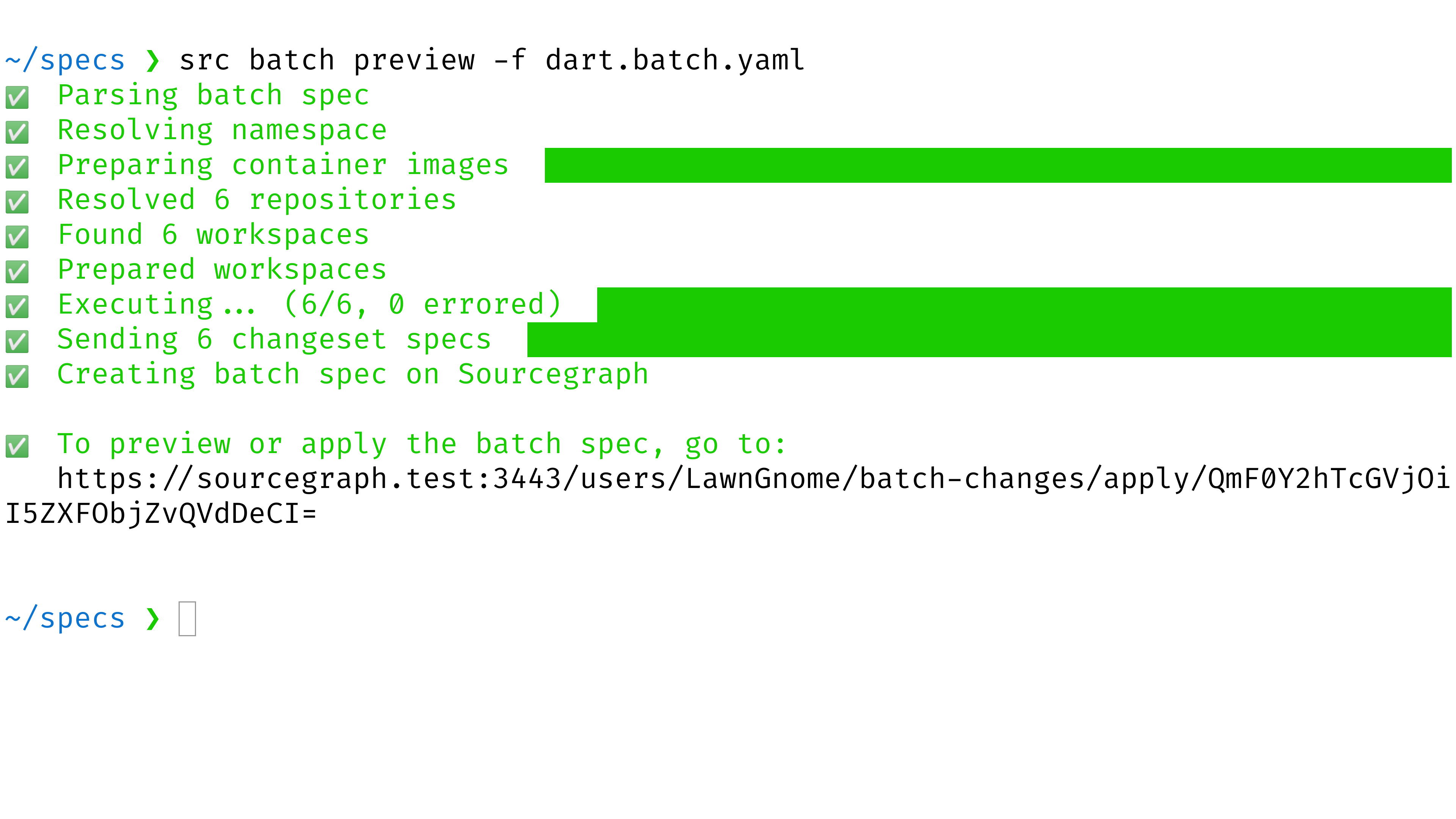
- Open the preview URL that the command printed out
- Examine the preview. Confirm that the changesets are the ones you intended to track. If not, edit the batch spec and then re-run the command above
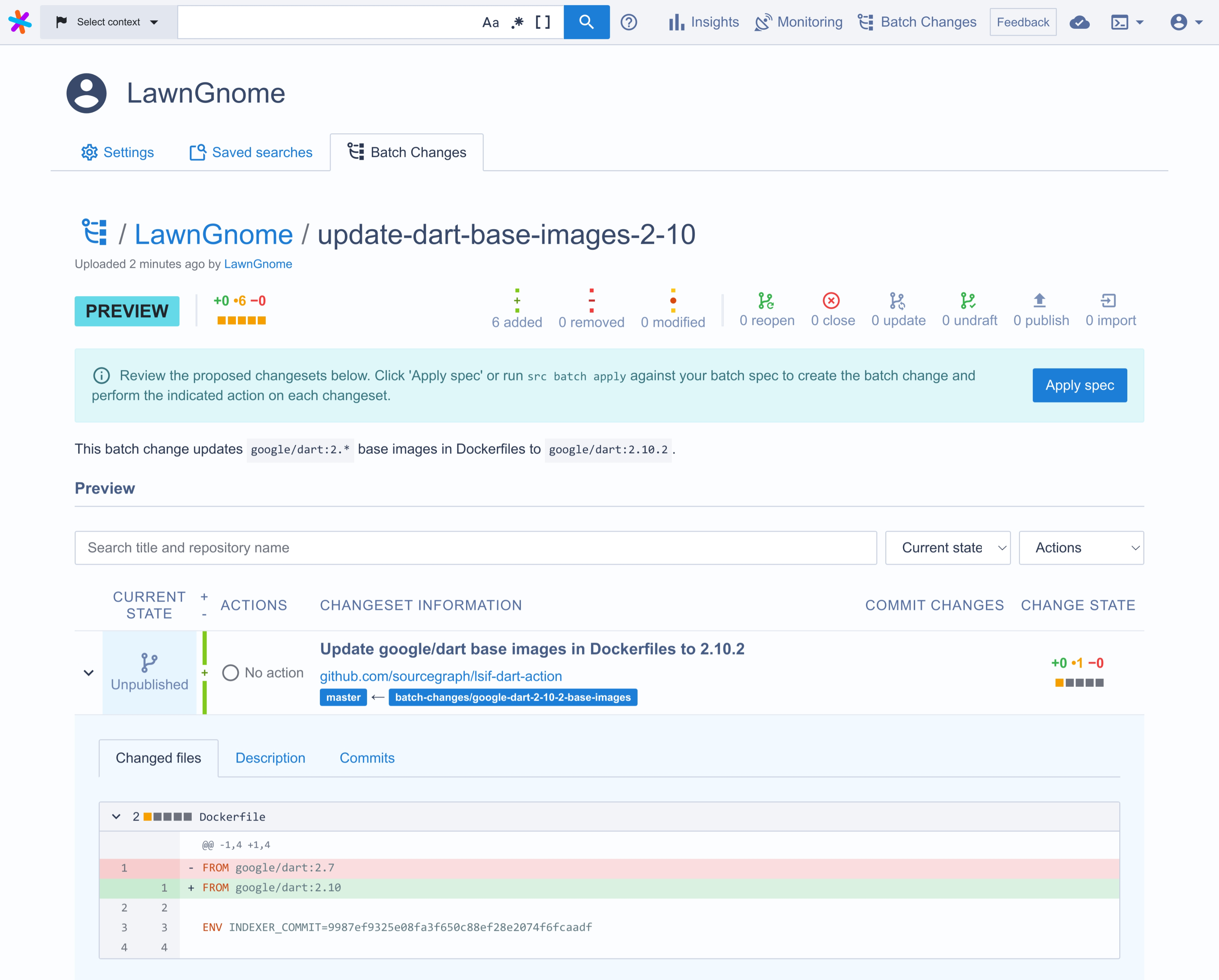
- Click the **Apply** button to create the batch change
- Feel free to then publish the changesets (i.e., create pull requests and merge requests) by [modifying the `published` attribute in the batch spec](/batch-changes/batch-spec-yaml-reference#changesettemplatepublished) and re-running the `src batch preview` command.
## Updating other base images
In order to update other base images in Dockerfiles you can either extend the batch spec or create another batch spec in which you change the `repositoriesMatchingQuery` and the `steps.run` properties.
You can keep using regexp-based search and `sed`, or you can use [structural search](/code-search/types/structural) combined with [comby](https://comby.dev) to update base images.
For example, here's how you would update `alpine` base images from `alpine:3.9`, `alpine:3.10`, `alpine:3.11` to `alpine:3.12`:
```yaml
# [...]
on:
- repositoriesMatchingQuery: FROM alpine:3.:[minor~[91]+[0-1]?] file:Dockerfile patternType:structural
- repositoriesMatchingQuery: FROM alpine:3.:[minor~[91]+[0-1]?]@sha256::[hash~[a-f0-9]+] file:Dockerfile patternType:structural
steps:
- run: |
comby \
-in-place \
'FROM alpine:3.:[minor~[91]+[0-1]?]@sha256::[hash~[a-f0-9]+]' \
'FROM alpine:3.12@ sha256:c0e9560cda118f9ec63ddefb4a173a2b2a0347082d7dff7dc14272e7841a5b5a' \
Dockerfile
container: comby/comby
- run: comby -in-place 'alpine:3.:[minor~[91]+[0-1]?]' 'FROM alpine:3.12' Dockerfile
container: comby/comby
# [...]
```
And here's how you could update `golang` base images to use Go 1.15:
```yaml
# [...]
on:
- repositoriesMatchingQuery: FROM golang:1.1:[minor~[0-4]]-alpine file:Dockerfile patternType:structural
- repositoriesMatchingQuery: FROM golang:1.1:[minor~[0-4]]-alpine@sha256::[hash~[a-f0-9]+] file:Dockerfile patternType:structural
steps:
- run: |
comby \
-in-place \
'FROM golang::[version]-alpine@sha256::[hash~[a-f0-9]+]' \
'FROM golang:1.15-alpine@sha256:df0119b970c8e5e9f0f5c40f6b55edddf616bab2b911927ebc3b361c469ea29c' \
Dockerfile
container: comby/comby
- run: comby -in-place 'FROM golang::[version]-alpine' 'FROM golang:1.15-alpine' Dockerfile
container: comby/comby
```